LotusLamp X宝莲灯Pro
Controls RGB and addressable strips, string lights, car and motorcycle ambient lights, pixel lights and more.
Google PlayApp StoreAPK
One phone, every light. Control LED strips, string lights, car ambient lighting and more: pick a color, let the lights follow your music, set scenes and timers.
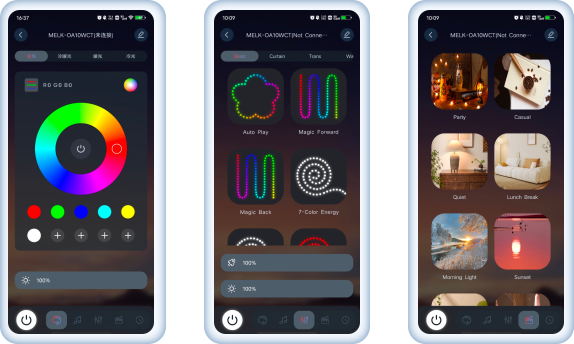
Three apps, one family. Use the one named in your device's manual or on its packaging.
Controls RGB and addressable strips, string lights, car and motorcycle ambient lights, pixel lights and more.

Built for addressable (magic color) strips and string lights, with flowing and chasing effects.

The classic controller for single-color and RGB strips and string lights.
Any version that asks for payment in any form is counterfeit. Download only from this site or the official app stores.
The same four essentials in every app, so switching devices never means relearning.

Color wheel, warm-to-cool white and brightness, plus RGB order correction.

Lights dance to the music on your phone or the sound around you.

Breathing, flowing, chasing and more, with adjustable speed.

Schedule on and off times that repeat on the days you choose.
From Google Play, the App Store, major Android stores, or as a direct APK.
Allow Bluetooth when asked. Nearby devices appear in the list automatically.
The app connects on its own. Stay within about 8 meters for a steady link.
Allow the Bluetooth permission on first launch, turn on Bluetooth and make sure the device is powered. If it still does not show up, power the device off for 5 to 10 seconds and try again.
Tap the edit button on the color page and open "Line order". Try the six RGB arrangements until the red, green and blue swatches match the light.
Tap the edit button and open "Point settings", then enter the number of LED beads on your strip.